




Can Your Law Firm Keep Working During an IT Outage?
- November 04, 2026
- by
- thetradieguide@gmail.com
A solicitor can have a charged laptop, a working internet connection and a court deadline approaching, yet still be unable to open the document they need.
That is the challenge behind an IT outage in a law firm: getting one device online does not necessarily restore a whole piece of work. The document may sit in an unavailable practice system, access may depend on a failed sign-in service, or the latest version may be locked inside an affected account.
A firm can often continue selected work during an outage if it has prepared safe alternatives. The useful test is whether staff can complete an urgent task from start to finish, with the right information and approval. Start there, and the gaps in the continuity plan become much easier to see.
First, decide which response is safe
An internet fault, a power interruption and a cyber incident can all look like “the system is down” to the person trying to work. They need different responses. Staff should report what they can actually observe: which service fails, when it started, whether colleagues are affected and any unusual messages.
If there are signs of compromise, stop routine troubleshooting and activate the incident response plan. Unexpected file encryption, a ransom message or unexplained account changes need prompt escalation. Do not connect backup drives or move affected devices onto another network simply to resume work.
The Australian Signals Directorate’s Australian Cyber Security Centre (ACSC) provides specific steps for a ransomware attack, including recording key details, turning off infected devices and separating other devices from the network. A firm’s response team should direct containment and recovery for its environment.
The office connection has failed
If IT confirms this is a connectivity fault, an approved backup connection may help. Check that it supports the required applications and calls, and that staff are using authorised devices and accounts. A mobile signal alone does not prove the complete workflow works.
One cloud service is unavailable
Use a trusted route to check the provider’s service status. Another office or home connection will not solve a service-wide failure. Follow the agreed alternative for that application rather than creating new accounts or copying files into personal storage.
The cause is still unknown
Ask the response lead which activities may continue safely. Keep an incident log, use the approved contact channel and avoid repeated changes that make diagnosis harder. An unavailable service is not, by itself, evidence that client data has been stolen.
Choose the legal work that must continue
“Restore everything” gives an IT team very little direction. A principal or practice manager needs to identify the work that cannot wait and the people authorised to make decisions about it.
Start with matters involving an imminent filing, hearing, settlement or other time-sensitive commitment. Identify the responsible solicitor and what they need to act: a current document, contact details, a calendar entry, access to a portal or an approval from another person. Confirm the applicable procedure with the relevant court, counterparty or service where necessary; do not assume an outage changes a deadline.
A simple working record can connect the legal task with its technical requirements:
| Work that matters | What it depends on | What to prepare or test |
|---|---|---|
| Identify today’s urgent matters | Current diary, task list and matter ownership | An approved, protected way to retrieve the necessary deadlines and responsible contacts |
| Contact a client or another party | Verified number, available phone and authority to speak | A contact route outside the failed service and a way to record the conversation |
| Complete an urgent document | Latest file, supporting material, suitable software and reviewer | Controlled access, version identification and an agreed approval route |
| Submit an approved document | Portal availability, individual access, authentication and receipt | An authorised submission method and confirmation that it was received |
| Resume normal matter records | Notes, documents and actions created during the outage | A named person to reconcile temporary records and resolve conflicting versions |
For each priority task, agree how long the firm can tolerate being unable to perform it and how much recent work it could accept having to recreate. These are separate decisions. Recovering yesterday’s files quickly may still leave today’s amendments missing.
Keep a trusted way to contact people
A continuity plan stored only in the firm’s usual email account may disappear at the same time as the outage instructions. Keep a controlled copy available through an independent, approved route, with a printed version where appropriate. Protect it because contact lists and matter information can themselves be sensitive.
The contact plan should name a response lead and an alternate, explain how staff will receive updates, and identify who can contact clients or approve public messages. Include the IT provider’s verified support number and escalation route. Decide how staff will confirm that an unexpected instruction really came from the response team.

Client updates should describe the practical effect: whether a scheduled call can proceed, which approved number to use and when the next update is expected. Avoid guessing at a restoration time or making claims about data safety before the facts are established.
Be particularly careful with payment instructions. Do not bypass the firm’s independent verification process because email is unavailable or a message appears urgent. A temporary communication channel should not quietly become permission to change bank details or release funds.
The ACSC’s incident response planning guidance covers responsibilities, backup communication channels and internal and external updates. Those arrangements need to be agreed before staff are trying to improvise them.
Check what “we have backups” actually means
A successful backup message does not show that a solicitor can open a usable matter file when they need it. Ask what is included, how recent the recoverable copy is, who can restore it and where the restored information will be available.
Check each important location rather than treating “the cloud” as one system. Documents, email, practice management records and files saved on individual devices may have different protection and recovery arrangements. A synchronised folder can help staff access files across devices, but that alone does not establish an independently recoverable copy or the required retention.
The ACSC’s small business guidance on protecting systems and backups recommends a backup plan that identifies the data covered, frequency, storage, responsible person, retention and testing. Apply those questions to the firm’s actual information stores.
Then ask for a controlled restoration test using suitable test data. Can the recovered file be opened? Are its attachments or linked records available? Are access restrictions preserved? How long does the complete process take? Following a cyber incident, the response team also needs to establish that the recovery environment and chosen recovery point are suitable before reconnecting systems.
Keep emergency file access proportionate. A restricted, maintained set of essential material may be useful for an agreed workflow. Downloading every client file onto unmanaged devices creates a different problem. Define who can hold a temporary copy, how it is protected and how it will be returned or removed afterwards.
Make sure the fallback has its own support
Every alternative has dependencies. A backup internet connection still needs working equipment and adequate coverage. A charged laptop still needs authorised access. Moving to another location helps with some building failures, but may leave a failed cloud service unavailable.
Power is only one part of access
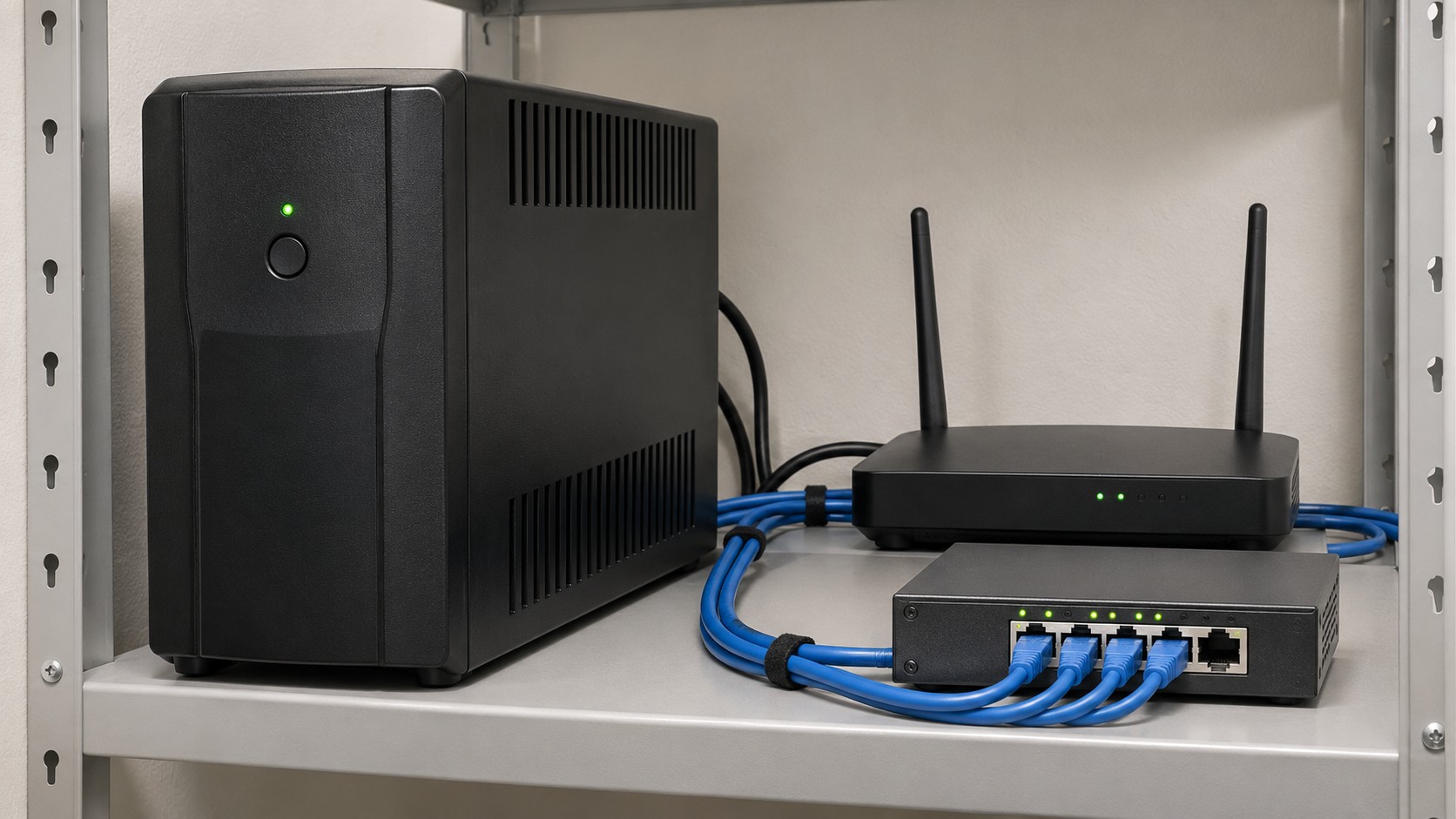
An uninterruptible power supply (UPS) is a battery-backed power unit. It can keep selected equipment running briefly or support an orderly shutdown, depending on its capacity and load.
Check which devices need power along the connection, how long the battery lasts under the expected load and whether the internet service itself remains available. A UPS does not guarantee internet access during a wider outage.
Authentication needs the same attention. If staff normally approve sign-in on a phone, plan for a missing or flat phone through an approved recovery process. Do not share passwords or disable multi-factor authentication to get around the problem. Any emergency administrator access should be prepared, protected and controlled by the people responsible for the system.
For cloud services, ask the provider which functions work offline, if any, and test that specific arrangement. A file that was never made available offline may remain inaccessible even though the application opens.
Agree who owns each part of recovery
A fault may involve an internet carrier, an IT provider, a cloud platform and the firm’s practice software supplier. Establish who coordinates them and who tells the firm what is happening. Otherwise, staff can spend an outage repeating the same problem to separate help desks.
When reviewing IT Support for Law Firms, ask how the support arrangement connects practice software, backups and recovery responsibilities. Australia Wide IT’s legal-sector page lists help desk support, data backups and disaster recovery, alongside support for legal practice software. Use the firm’s priority tasks to ask what would be covered in your own environment and what requires a separate supplier or agreement.
Get the distinction between response and restoration in writing. An acknowledgement target tells you when someone should respond; it does not, by itself, promise that a failed service will be available by then. Confirm after-hours escalation, responsibility for contacting other suppliers and any additional recovery costs.
A technical recovery also needs a business decision about resuming work. Nominate who can approve restored access, who checks that priority tasks work, and who owns any remaining restrictions.
Try one outage rehearsal before you need it
Choose an ordinary working day and discuss a fictional outage with the practice manager, a solicitor, an administrative staff member and the IT contact. Use test information and a discussion exercise first; there is no need to disrupt live systems to discover an unclear responsibility.
Scenario: the office email and practice system are unavailable, a document needs approval today, and the cause has not yet been confirmed.
- Find the instructions. Retrieve the response plan without using the unavailable services. Can everyone locate the correct contact?
- Make the first decision. Explain who determines which systems are safe to use and who identifies the urgent matters.
- Walk through one task. Locate the approved test document, identify its version, obtain the right review and describe the authorised submission route.
- Plan the return. Decide how temporary notes, time records and document changes will return to the matter record, and who checks that nothing was missed.
Record each unanswered question as a specific action with an owner. “Confirm access to tomorrow’s hearing documents” is more useful than “improve disaster recovery”. Repeat the relevant checks after significant changes to software, staff responsibilities or the office setup.
An application opening is not the end of the outage
Before returning to normal work, confirm which services have been cleared for use and check any work completed through temporary arrangements. Reconcile document versions, attendance notes, time entries, submissions and receipts. Make sure colleagues know which location now holds the authoritative record.
If personal information may have been compromised, assess the facts promptly with appropriate advice. For entities covered by the Notifiable Data Breaches scheme, the OAIC explains when assessment and notification obligations arise. An outage alone does not determine whether notification is required. Separately check any applicable professional, contractual and insurance requirements.
For a broader starting point, business.gov.au’s emergency management plan brings continuity, immediate action and recovery planning together. Adapt it to the firm’s matters and systems rather than leaving it as an unused template.
The next practical step is small: select one urgent legal task and ask the responsible staff member to explain how it would be completed if the usual system disappeared. Where the answer depends on an assumption, arrange a check. That is how a continuity plan becomes something the firm can use.